
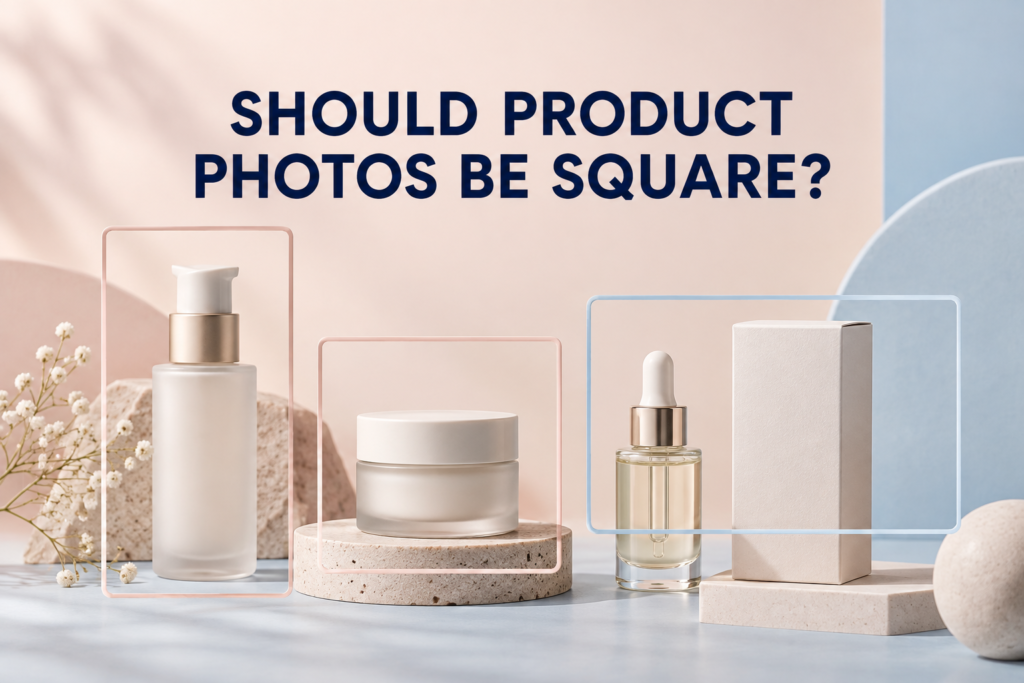
Product photos do not always need to be square, but square images are a practical foundation for many online stores. A 1:1 frame works well in product grids, remains predictable on mobile, and is easy to reuse. It is not ideal for every placement, however. Banners, editorial pages, advertisements, email headers, and social formats may need horizontal or vertical images.
The most reliable approach is to plan a flexible set: use a consistent aspect ratio for the core product gallery, then create or capture alternate compositions for the channels that matter. This prevents important packaging, props, hands, or texture details from being cut off by an automatic crop.
What is an image aspect ratio?
An aspect ratio describes the relationship between an image’s width and height. A square is 1:1. A portrait image is taller than it is wide, while a landscape image is wider than it is tall. Aspect ratio is separate from pixel dimensions: a 1000-by-1000-pixel file and a 2000-by-2000-pixel file are both square.
This distinction matters because a site can display several pixel sizes while maintaining the same shape. Choosing the frame first creates visual consistency; choosing appropriate dimensions and compression afterward supports sharpness and performance.
Why are square product images so common?
Square frames create an orderly catalog because every product card occupies the same footprint. They are also neutral enough for bottles, jars, boxes, accessories, and grouped products. A shopper can scan a collection without the page jumping between tall and wide thumbnails.
- Consistent product grids and category pages
- Predictable galleries on desktop and mobile
- Simple reuse across many store themes
- Balanced space around products of different shapes
- Easier coordination across large SKU collections
Square does not mean the product must fill the entire frame. Consistent margins are important, especially when a catalog includes both short jars and tall bottles. Matching the apparent product scale often matters more than using the exact same crop around every package.
When should product photos not be square?
Use another format when the placement or composition needs it. A wide website banner needs room for text and interface elements. A vertical social placement may need height to hold attention on a phone. A lifestyle scene may rely on an environment that loses meaning when cropped to a square.
The issue is not whether a format is fashionable. The question is whether the frame supports the image’s job.
Horizontal images
Landscape images are useful for homepage heroes, collection banners, editorial features, email headers, and advertisements with text beside the product. They can show several products across a set or preserve environmental context. Plan intentional negative space rather than hoping a square image will stretch into a wide slot.
Vertical images
Portrait images can suit tall packaging, mobile-first stories, pins, reels covers, and other vertical layouts. They also allow a scene to show a product from tabletop to background. Keep important content away from interface overlays and verify the current safe areas of the destination platform.
Which aspect ratio works best for a product page?
A consistent gallery ratio is usually easier for shoppers to navigate than a mixture of unrelated shapes. Square is a strong default, but a portrait gallery may make sense for fashion, tall bottles, or a site designed around vertical cards. The best choice should agree with the store’s theme, zoom behavior, thumbnail layout, and product shapes.
Before production, test sample images in the actual page template. A frame that looks spacious in a design file may appear small beside product information, or it may crop differently on mobile. For a complete gallery plan, see how many images a product page should have.
Do Shopify product photos have to be square?
No universal creative rule requires every store image to be square. The theme and image container determine how uploaded files are displayed. Some themes preserve the original ratio; others crop thumbnails or use a chosen product-card ratio.
Instead of relying on a general answer, review the current theme settings and test the product page, collection page, cart, search results, and mobile layout. Keep the core catalog consistent even if supporting editorial images use other shapes.
Should marketplace images be square?
Many marketplaces display products in square or near-square containers, which makes a centered square master useful. Requirements can change, and primary images may have different rules from secondary images. Confirm the current image guidance for every marketplace before exporting final files.
A compliant primary image is only one part of the set. Secondary images can often explain scale, details, use, packaging, or benefits with more flexible compositions. Keep marketplace-specific versions separate from brand-site files so one crop is not forced to do every job.
What aspect ratios work for social media and advertising?
Social and advertising platforms use several placements, and those placements can change. Rather than building a campaign around one “universal” crop, identify where the creative will run and prepare the requested formats for those placements.
A useful campaign may need:
- A square version for flexible feeds and grids
- A vertical version for full-screen mobile placements
- A landscape version for banners, selected ads, or website modules
- A text-safe version with deliberate open space
- A product-close version that stays readable at small sizes
These should not be blind crops of the same finished file. A product may need to shift position, props may need to move, and a texture smear may need to be rebuilt so the composition still feels intentional.
How can one photo work in several crops?
Capture with crop flexibility in mind. Leave useful breathing room around the subject, avoid placing essential details against an edge, and keep critical packaging inside a central safe area. When resolution allows, this creates room to make square, vertical, and horizontal derivatives.
However, extra space is not a replacement for art direction. A very loose composition can make the product feel small. For high-priority placements, create a dedicated arrangement or move the camera and product so each frame feels balanced.
Use tethered crop guides during the shoot
Viewing the camera feed with crop overlays helps the team see how one setup translates across formats. A square guide can protect the product page while vertical and horizontal guides reveal whether props, shadows, and negative space remain useful.
Separate the background from the product when practical
Simple backgrounds and controlled shadows offer more crop flexibility than a dense scene. This is particularly useful for e-commerce photography, where consistent product cards may be needed alongside campaign versions.
How should beauty and skincare products be framed?
Beauty packaging varies dramatically: a low jar, tall pump, slim tube, carton, and dropper bottle may belong to the same collection. If every item is enlarged to touch the same boundaries, their real scale becomes unclear. If every item is photographed at the same camera distance, smaller products can look lost.
Create a visual rule for the collection. Match baseline, center line, margins, or apparent scale according to what makes comparison easiest. Then keep that rule consistent across variants. For group images, allow enough space between items that alternate crops do not merge labels or remove an important product.
Should every image in a product gallery use the same ratio?
Usually, a consistent container creates the cleanest experience. The content inside that frame can change from product-only to detail, texture, scale, and lifestyle. If the theme supports mixed media elegantly, a deliberate vertical or wide image may add value, but test how it affects page movement and mobile viewing.
Consistency should serve comprehension. It should not force a useful application image into a crop that removes the hand, or a wide collection into a frame where labels become unreadable.
How do you plan aspect ratios before a shoot?
- List the channels. Include the product page, collection grid, marketplace, email, ads, social, and launch pages.
- Record the required shapes. Use the current specifications from each destination.
- Choose a core gallery ratio. Apply it consistently to product-only views.
- Identify priority alternate crops. Decide which images need dedicated vertical or horizontal compositions.
- Add crop notes to the shot list. Treat format as a deliverable, not an afterthought.
- Test exports in real templates. Review desktop and mobile before approving the full set.
The product photography shot-list guide shows how to connect every image to a purpose and channel.
Common aspect-ratio mistakes
- Shooting too tightly: there is no room for alternate crops or responsive layouts.
- Leaving random margins: products jump in size across a category page.
- Using one crop everywhere: important details disappear in banners or vertical placements.
- Ignoring text space: designers have nowhere to place a headline without covering the product.
- Following outdated platform guidance: exports are prepared from remembered specifications instead of current requirements.
Frequently asked questions
Does cropping a product photo reduce quality?
Cropping removes pixels, so an aggressive crop can leave too little resolution for a large display or useful zoom. Capture with enough detail for the intended outputs and evaluate the final exported dimensions.
Should the product be centered in a square image?
Centering is a dependable catalog choice, but it is not mandatory. An off-center product can create space for text or props when the composition remains balanced and the store template does not crop it unexpectedly.
Can I add white space to make a photo square?
Yes, when the added background matches naturally and preserves consistent scale. This is often better than cutting off a tall product, but it should not create visibly uneven framing across the catalog.
Is square best for product-image SEO?
Search visibility does not depend on a square shape alone. Relevance, descriptive context, useful alt text, file quality, page performance, and the image’s relationship to the page matter more than choosing one aspect ratio.
Build flexible product imagery
Picture Your Products plans channel-aware photography for beauty, skincare, wellness, and lifestyle brands, including Chicago and remote product-shipping projects. To discuss a product gallery and the formats your campaign needs, contact Picture Your Products.