
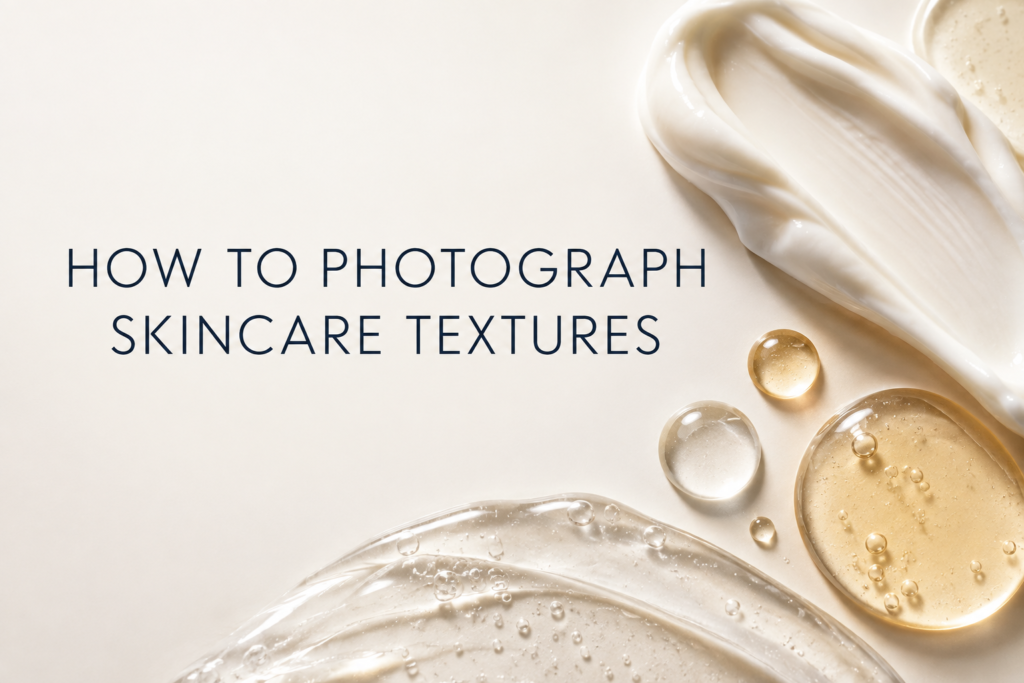
Photograph skincare textures by controlling shape, thickness, highlights, and scale before adjusting the camera. The formula must look intentional: a cream should retain dimensional peaks, a serum drop needs a readable edge, and a gel should show transparency without disappearing into the background.
Texture photography is product communication. It helps a shopper distinguish rich, fluid, glossy, whipped, translucent, or grainy formulas when the image remains accurate.
What makes a skincare texture photograph readable?
Readable texture needs separation from the surface, controlled specular highlights, and a shape appropriate to the formula. Side light reveals relief; backlight can define transparent gels; a broad soft source creates smoother transitions on creams.
Choose the right surface and background
Use a surface that will not react with or quickly absorb the product. Color should provide contrast without changing the perceived formula. Clear acrylic allows light from below or behind, while matte surfaces suppress distracting reflections.
How do you style creams?
Work with clean tools and small amounts. Build a repeatable swipe, peak, curl, or dollop, then photograph before the surface dries or separates. Dense formulas often benefit from grazing light that reveals height and ridges.
How do you photograph serums and gels?
Use droppers, pipettes, or controlled dispensing tools to place consistent drops. Transparent formulas need bright edge definition or a darker controlled boundary. Avoid overlighting until the drop loses its shape.
What camera angle works best?
Top-down views explain shape and pattern. Low or oblique angles emphasize height, gloss, and viscosity. Macro views reveal bubbles and microtexture but require careful focus and dust control. Choose the angle based on the information the product page needs.
Keep color and finish accurate
Use a calibrated workflow and neutral references when formula color matters. Overwarming a cream or saturating a tinted balm can create the wrong expectation. Retouch dust and accidental edges without rebuilding the formula into something it is not.
Plan texture images within the full gallery
A texture frame should complement the package hero, alternate angles, and application images. It rarely needs to repeat the entire product arrangement. Review product and lifestyle photography roles to decide whether texture is explanatory, atmospheric, or both.
Common texture-photography mistakes
- Using too much product and losing shape
- Lighting every formula the same way
- Choosing a surface with unwanted absorption or color cast
- Retouching away natural characteristics
- Shooting after the formula has dried, separated, or gathered dust
- Showing an ingredient prop that is not actually relevant
Frequently asked questions
Can you photograph texture without opening the retail unit?
Use a separate production sample when available. Opening the hero package can create residue, fingerprints, or damaged seals.
Should texture photos include the package?
They can, but a texture-only macro may communicate the formula more clearly. Use both when they perform different jobs.
How much retouching is appropriate?
Remove temporary distractions while preserving genuine color, translucency, thickness, and finish.
Work with Picture Your Products
Picture Your Products creates product, e-commerce, beauty, skincare, and lifestyle imagery for Chicago and remote product-shipping projects. Contact the studio to plan a shoot around your products and sales channels.