
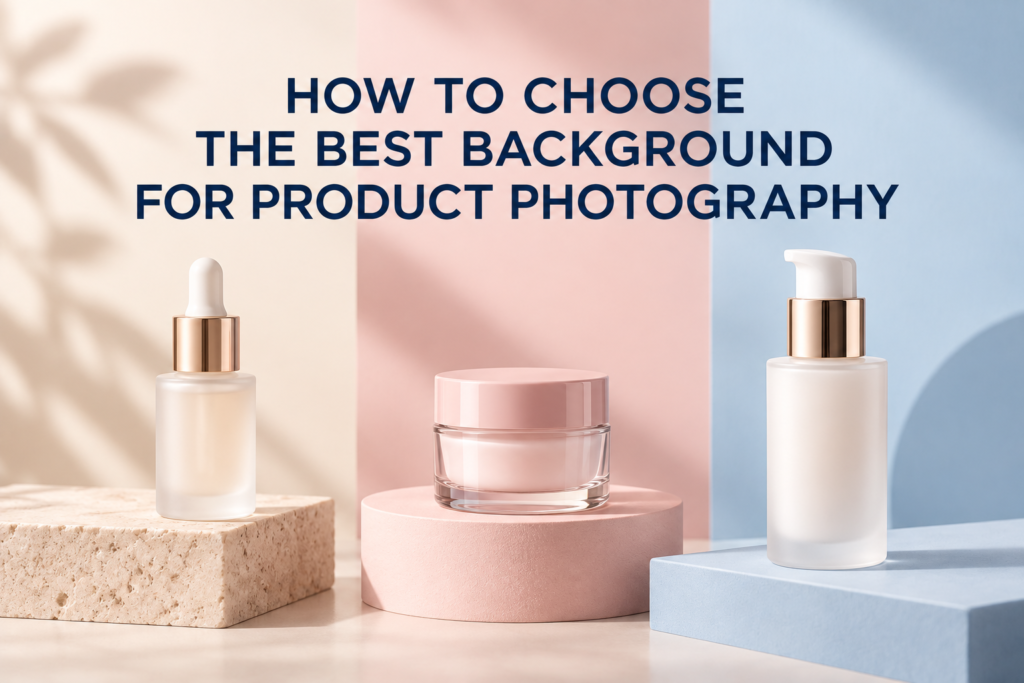
The best background for product photography is the one that makes the product easy to understand, supports the brand, and fits the image’s final placement. For a primary e-commerce image, that is often white or a quiet neutral. For a campaign, beauty launch, or social post, a colored or textured set may communicate more effectively.
Background choice should not begin with a favorite color. Start with the job of the image, the product’s materials, the sales channel, and the surrounding website or campaign design. A background can improve contrast, reveal shape, suggest context, and create room for text. It can also compete with the label, distort color, or make a catalog look inconsistent when it is chosen without a system.
What Is the Best Background for Product Photography?
There is no single best background for every product. White is dependable for catalog clarity, light neutrals are useful for subtle depth, brand colors support campaign recognition, and real or constructed environments provide context. The best choice solves the communication problem with the fewest unnecessary elements.
Ask three questions before choosing:
- Where will the photograph appear?
- What does the shopper need to learn from it?
- How should it relate to the rest of the brand’s image library?
These answers usually narrow the options quickly. A clean retailer submission and an editorial homepage banner may feature the same bottle but require entirely different sets.
When Should You Choose White?
Choose white when the product needs to be isolated, compared, or submitted to a channel with specific background rules. White reduces distraction and works well for store grids with many SKUs. It is especially practical for the first gallery image and consistent e-commerce product photography.
White does not have to look flat. A soft shadow, tonal gradient, or careful edge definition can preserve depth when the destination allows it. White and transparent packaging require deliberate lighting so the container does not disappear into the set. For a deeper comparison, see when product photos should use a white background.
Are Neutral Backgrounds Better Than Pure White?
Neutral backgrounds are often useful on a brand-owned website because they can separate pale packaging while remaining calm. Light gray, cream, sand, stone, and muted beige can make white products easier to read and can feel more dimensional than a pure digital-white cutout.
A neutral surface can also introduce a controlled material cue. Matte paper feels clean and contemporary. Plaster or stone may suggest natural ingredients or tactile luxury. The texture should remain quiet enough that compression, focus, or reflections do not turn it into visual noise.
How Do You Choose a Background Color?
Choose color by considering contrast, color accuracy, brand recognition, and the emotional role of the image. The product should remain the visual priority. A complementary hue can separate packaging from the set, while a neighboring hue can create a tonal, unified scene.
Start with the package color
Place a quick color sample behind the actual product, not only a digital mockup. Gloss, translucency, and metallic details can change how the background reflects into the packaging. A blue surface may produce a cool cast in a clear bottle; a saturated red wall may tint a chrome cap.
Use brand colors with restraint
A brand color can connect a photograph to a launch or website system, but exact matching is not always necessary. A lighter, darker, or less saturated version may create separation while keeping the visual relationship. Avoid forcing every campaign image onto the same color if it reduces label readability.
Consider the product category
Beauty, skincare, wellness, food, and lifestyle products carry different visual expectations, but category conventions are not rules. A clinical white-and-blue set may support a functional skincare message. Warm mineral tones may suit a sensory body-care story. A cosmetic shade launch may require backgrounds that do not contaminate the perceived color of the product.
When Should Product Photography Use Texture?
Use texture when it contributes meaning or tactility. Stone, tile, fabric, paper, water, sand, wood, or translucent acrylic can suggest an environment, ingredient, or level of finish. Texture is most effective when it is relevant and controlled.
For example, a lightly rippled water surface can support a hydration concept, while a coarse natural stone may frame a mineral or wellness product. A smooth reflective acrylic surface can make cosmetics feel polished. The material must still allow the product to sit securely, remain level, and be photographed from the intended angle.
Should the Background Match the Website?
It should coordinate with the website, but it does not need to copy it. Consider how the photograph will sit next to page backgrounds, type, buttons, and neighboring images. A near-white photograph on a warm cream page may reveal an unintended rectangular edge. A saturated campaign image may dominate a collection grid designed around soft neutrals.
Test a representative image in the actual layout before final exports. Check desktop and mobile crops, product scale, negative space, and contrast behind overlay text. A background that works in a large studio preview can behave differently inside a small product card.
How Do Reflective and Transparent Products Affect the Choice?
Reflective and transparent products borrow color and shape from their surroundings. Their background is also part of their lighting. Glass bottles may need a controlled gradient or darker edge behind them. Chrome, foil, and glossy caps may reflect the set color even when the surface is outside the frame.
Before committing to a color, test how it appears in the product’s highlights, edges, and transparent areas. Sometimes a separate capture or careful retouching is needed to keep the packaging accurate while preserving the intended background.
What Backgrounds Work for Skincare and Cosmetics?
Skincare and cosmetics usually need more than one background system because the image library has several jobs.
- White or light neutral: primary gallery images, packaging views, retailer needs
- Soft brand color: collection pages, launch announcements, organic social content
- Ingredient-led set: campaign images that connect formula and story without implying unsupported claims
- Reflective or translucent surface: polished beauty imagery and controlled highlights
- Contextual environment: vanity, bathroom, routine, scale, or application images
- Macro surface: cream smears, serum drops, powder, gloss, and applicator details
The backgrounds should feel related even when they are not identical. Repeating a lighting quality, crop language, shadow softness, or limited palette can hold the collection together.
How Many Backgrounds Should a Shoot Include?
Use as few backgrounds as necessary to cover the required placements. Each additional set adds decisions about surface, props, lighting, camera position, and product preparation. A focused shoot may use one clean catalog setup and one or two creative environments rather than many unrelated concepts.
Build the plan from deliverables. A complete product photography shot list can map every background to a page, ad, email, retailer asset, or social format. If a set has no clear destination, it may not need production time.
A Practical Background Selection Checklist
- Confirm current channel and retailer requirements.
- Check contrast between product, label, and background.
- Test how set color reflects into glass, foil, and glossy packaging.
- Coordinate with the website and campaign palette.
- Plan shadows and whether the product should appear grounded.
- Allow safe space for square, portrait, and horizontal crops.
- Choose surfaces that are stable, cleanable, and appropriate for textures.
- Keep decorative materials secondary to the product.
- Review a test image at actual mobile size.
Frequently Asked Questions
Is black a good product photography background?
Black can define pale, metallic, or transparent products and create a dramatic result. Edge separation and dust control become especially important, and the image should fit the intended channel.
Can a background be changed during retouching?
Yes, but the original lighting, reflections, edges, and contact shadow still need to support the replacement. Planning the final background before photography usually produces a more believable result.
Should every product in a catalog use the same background?
Primary catalog images should usually follow one consistent system. Supporting detail, lifestyle, and campaign images can use additional backgrounds when they have a clear purpose.
Are paper backdrops suitable for products?
Paper can provide a smooth, repeatable surface in many colors. The choice depends on product size, moisture, reflections, and whether the set must support liquids or texture work.
If you need backgrounds planned around both commerce and campaign uses, contact Picture Your Products to discuss your products, channels, and visual direction.