
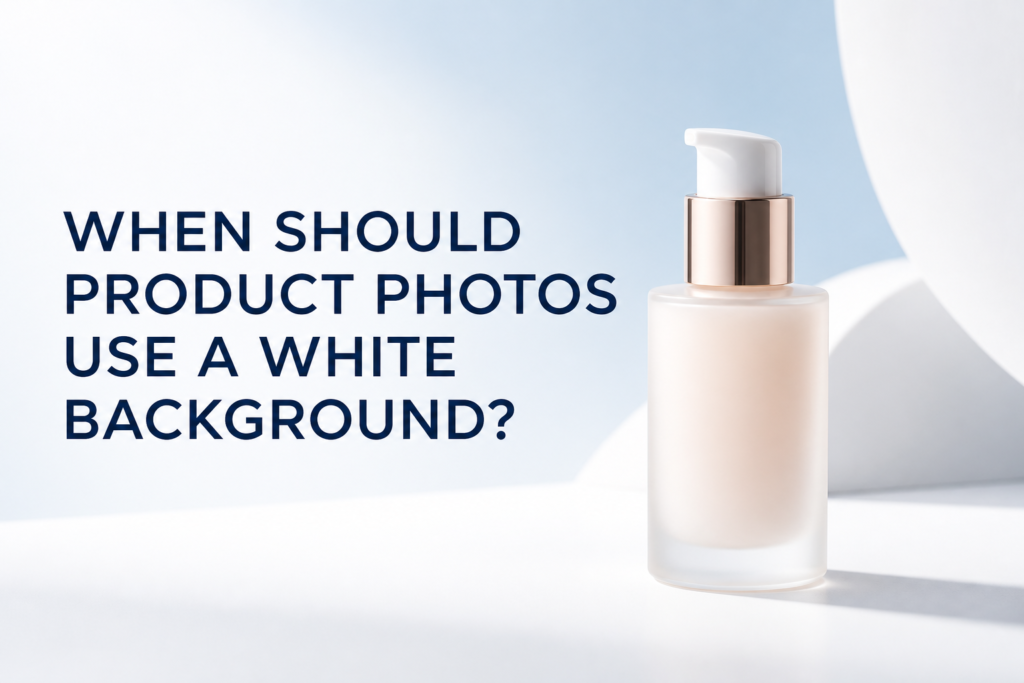
Product photos should use a white background when the image needs to explain the product clearly, meet a retailer or marketplace requirement, or keep a catalog visually consistent. A white background is often the best choice for a primary e-commerce image, but it is not the right answer for every photograph. Most brands benefit from a planned mix: clean product-only images for comparison and styled images for context, mood, scale, and campaign use.
The decision should begin with where the image will appear and what the shopper needs to understand. A marketplace thumbnail, a product-detail page, a homepage banner, and a social advertisement all ask the photograph to do different jobs. Treating every placement the same can produce a library that looks consistent but cannot support the full customer journey.
When Is a White Background the Best Choice?
Use a white background when visual clarity is more important than atmosphere. The product should be easy to identify at a glance, with its shape, color, packaging, label, and included components clearly visible. White-background images are especially useful when shoppers are comparing several products or variants in one grid.
A clean background also makes it easier to maintain consistency across many SKUs. When the camera position, product scale, crop, and background are standardized, a collection page feels organized even when packaging colors and sizes differ.
Primary e-commerce gallery images
The first image on a product page often needs to work as a thumbnail, a search result, and the first gallery frame. A simple product-only view avoids distractions and helps the item remain recognizable on smaller screens. For a skincare serum, that may mean a straight front view of the bottle. For a cosmetic kit, it may mean all included pieces arranged clearly without decorative props.
Marketplaces and retailer submissions
Retailers and marketplaces may specify background color, product coverage, file dimensions, or limits on text and accessories. Check the current requirements for every destination before production. A white-background master image is a practical starting point, but one file should not be assumed to satisfy every channel automatically.
Large catalogs and product variations
White backgrounds are helpful when a store carries many sizes, shades, scents, or packaging formats. They reduce visual variables so customers can focus on the differences between products. Consistent lighting and scale matter just as much as the background itself.
Products with important packaging information
If the label, closure, applicator, or construction affects the purchase decision, a clean setup can make those features easier to inspect. Supporting angles and a complete product photography shot list should cover information that the front view cannot show.
Does a White Background Mean Pure White Everywhere?
Not always. “White background” can describe several related treatments. A true cutout may be placed on a pure digital white field. A photographed white sweep may include a soft contact shadow or faint tonal gradient. An off-white surface may feel warmer while still reading as clean and neutral.
The correct treatment depends on the destination. If a marketplace requires pure white, the exported background must match that specification. On a brand-owned website, a light gray or warm white may integrate better with the page design and preserve natural depth. The important point is to decide before retouching rather than applying one default treatment to every image.
When Is a Styled Background Better?
A styled background is better when the image needs to communicate more than appearance. Color, surface, props, and environment can suggest audience, use, ingredients, season, or price position. These cues help a shopper understand how the product fits into a routine or lifestyle.
When the customer needs context or scale
A product-only image may not show how large a bottle feels in the hand or how a compact sits on a vanity. A contextual photograph can introduce a hand, familiar object, or believable environment. The context should answer a question, not simply decorate the frame.
When texture or application matters
Beauty and skincare products often need separate texture imagery. A serum drop, cream swipe, powder finish, or applicator detail can explain viscosity and use more effectively than packaging alone. These images usually benefit from a controlled surface and lighting selected for the material.
When the image is for a campaign
Homepage features, launch emails, paid ads, and social posts often need room for copy and a stronger visual concept. A styled scene can connect the product with campaign colors or an ingredient story. For these placements, a generic white cutout may be too limited unless it is intentionally combined with design elements.
Should Every Product Page Include Both?
For many products, yes: start with clean, consistent commerce images and add styled photographs where they answer a different question. The exact mix depends on product complexity, channel requirements, and available budget. There is no universal gallery count.
A practical sequence might include:
- A clean primary image on white or a brand-approved neutral
- Front, back, side, or three-quarter views as needed
- Packaging and included components
- A detail of the closure, applicator, label, or finish
- A scale or in-use photograph
- A texture image for cosmetics, skincare, and wellness products
- One or more styled brand images
This approach separates factual images from persuasive ones. The clean photographs help shoppers inspect and compare; the styled images help them imagine ownership and use. Picture Your Products plans both e-commerce product photography and styled studio product photography around the final placements.
How Do You Photograph White or Transparent Products on White?
White packaging can disappear into a white set if the lighting does not define its edges. Transparent bottles can lose their shape for the same reason. The solution is not simply to darken the entire image. A photographer can control edge contrast with flags, reflections, backlighting, surface choice, and carefully placed gradients.
For glossy caps or glass, reflection shape is part of the lighting design. Large diffused sources can create smooth highlights, while black or dark cards can define edges. The product should still look accurate; excessive contrast can make white packaging appear gray or change the perceived finish.
What Makes a White-Background Product Photo Look Professional?
A professional result depends on consistency and detail, not just a white canvas. The product needs to be prepared, aligned, lit, photographed, and retouched with the intended use in mind.
- Accurate color: Packaging and product color should remain believable across the set.
- Controlled reflections: Glossy surfaces need intentional highlight shapes rather than random room reflections.
- Clean edges: Transparent, metallic, fuzzy, or irregular products need careful separation.
- Natural grounding: A contact shadow can keep an item from appearing to float when the channel allows it.
- Consistent scale: Related products should feel balanced when shown together in a collection grid.
- Readable labels: Perspective, focus, and retouching should support legibility without altering the package.
- Useful crops: The product needs enough surrounding space for responsive website layouts and channel-specific exports.
How Should Brands Plan the Background Before a Shoot?
Begin with a channel inventory. List every place the images will be used, then note each platform’s current technical and content requirements. Separate mandatory product-only deliverables from optional creative images. Decide whether the brand website uses pure white, warm white, light gray, or another neutral behind catalog products.
Next, build a reference grid showing crop, scale, camera angle, shadow style, and background tone. Apply the system to every SKU, including unusual sizes or reflective finishes. Finally, plan campaign setups independently so the commerce library remains consistent while the creative work has room to express the brand.
Frequently Asked Questions
Can a white-background photo still have a shadow?
Yes, if the sales channel permits it. A soft contact shadow can communicate depth and make the item feel grounded. Marketplace rules should be checked before export.
Is light gray acceptable instead of white?
It can be appropriate on a brand-owned website, especially for white or transparent packaging. It may not meet a third-party retailer’s exact requirements.
Should props appear in the main product image?
Usually not when the main image must show exactly what is included or follow a product-only rule. Props can be valuable in later gallery images when they clarify scale, use, or brand context.
Can one white-background image be cropped for every platform?
Sometimes, but not reliably. Plan square, portrait, and horizontal uses before the shoot so the product has appropriate scale and safe space in each format.
If your brand needs a balanced library of clean commerce images and styled campaign content, contact Picture Your Products to discuss the products, channels, and shot list.