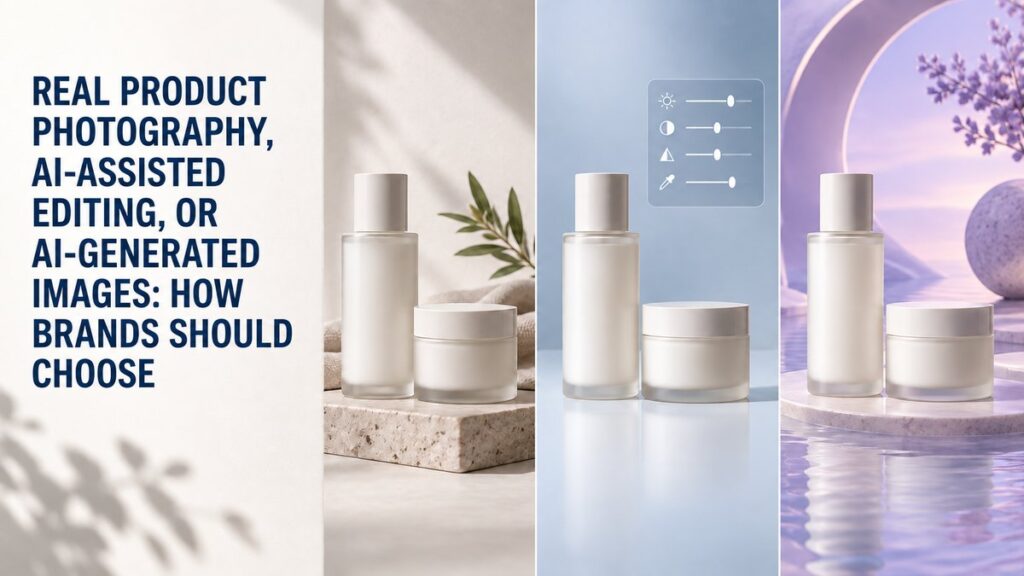
Brands should choose real product photography when accuracy and trust matter most, AI-assisted editing when a real image needs efficient refinement, and AI-generated images when the concept is exploratory and the final asset will not misrepresent the product. The right choice depends on where the image will appear, how closely it must match the item a customer receives, and how much creative flexibility the project requires.
This is not an all-or-nothing decision. Many beauty, skincare, wellness, and lifestyle brands use a hybrid workflow: photograph the real package and product first, use careful AI-assisted editing for controlled variations, and reserve fully generated imagery for early concepts or clearly stylized campaign experiments. The key is to decide asset by asset instead of choosing one method for an entire brand.
What Is the Difference Between the Three Approaches?
Real product photography
Real product photography records the actual item with a camera, lighting, backgrounds, styling, and physical sets. It shows the true package shape, label placement, material, color, texture, scale, and reflections. Retouching may still be part of the process, but the photographed product remains the source of truth.
This approach is especially useful for primary e-commerce images, packaging details, texture photographs, shade references, retail submissions, press assets, and any image that helps a buyer evaluate the physical item.
AI-assisted editing
AI-assisted editing starts with a real photograph and uses automated or generative tools to help with a defined post-production task. Examples include extending a background, removing dust, creating extra crop space, simplifying a set, or adapting an approved composition to another format.
The original photograph provides product accuracy. The editing tool helps make production or versioning more efficient. A human still needs to inspect labels, edges, proportions, shadows, reflections, colors, and texture because automated edits can introduce small but important errors.
AI-generated product images
AI-generated images are created primarily from a prompt, a reference, or a digital description rather than a complete photographed scene. They can be useful for mood exploration, storyboard frames, set ideas, and conceptual visuals. However, they may change packaging geometry, invent label details, alter the amount of product in a container, or create physically inconsistent lighting.
When the generated image is meant to depict a real product, those differences require careful review. A visually attractive result is not automatically an accurate sales image.
When Is Real Product Photography the Best Choice?
Use real photography whenever the image must reliably show what the customer will receive. It is the safest foundation for product pages, marketplace listings, retailer portals, packaging announcements, texture demonstrations, and brand libraries that need to remain useful over time.
Real photography is particularly valuable when the product has:
- Reflective, transparent, metallic, iridescent, or soft-touch packaging
- Fine typography, regulated label copy, or precise claims on the container
- A color or finish that buyers compare before purchasing
- A cream, serum, oil, powder, or gel texture that must look believable
- A pump, dropper, cap, applicator, closure, or mechanism that needs explanation
- Multiple sizes, shades, or variants that must be distinguished accurately
For these products, lighting is not merely decorative. It explains materials, separates edges, controls reflections, and reveals texture. A professional studio product photography setup can create both clean catalog assets and more expressive compositions from the same physical product.
When Does AI-Assisted Editing Make Sense?
AI-assisted editing is most useful when the source photograph is already accurate and the requested change is limited, reviewable, and reversible. It can help a team create channel variations without rebuilding every scene.
Appropriate uses may include:
- Extending negative space for a banner or vertical social crop
- Removing temporary support tools or minor surface distractions
- Cleaning a simple background while preserving the product edge
- Testing alternate background colors for internal review
- Adapting an approved image to several aspect ratios
- Creating rough layout options before a final reshoot
The edit should not quietly change a feature that influences a buying decision. If the tool reshapes a cap, modifies the label, changes a shade, adds an ingredient, or alters the apparent texture, the image is no longer a dependable representation.
What should be checked after an AI-assisted edit?
Compare the edited file with the original photograph and the physical product. Inspect the logo, small text, ingredient lines, barcode, package seams, dispensing parts, transparency, reflections, shadow direction, and product color. Zoom in on repeated patterns and curved edges, where generated artifacts often appear.
When Can AI-Generated Imagery Be Useful?
Fully generated imagery is strongest as a concept and ideation tool, not as an automatic replacement for accurate product photographs. It can help a creative team explore palettes, surfaces, props, set architecture, seasonal directions, or unusual environments before committing to production.
Useful applications include:
- Moodboards and visual direction presentations
- Storyboards for future photography or video
- Background concepts that will later be built or composited responsibly
- Clearly illustrative editorial content
- Early campaign testing when the asset is not presented as a literal product view
If a generated image will appear in advertising or commerce, establish a review process. The team should know which parts are synthetic, confirm that the product is not misleading, and keep an approved real image available for comparison.
Which Method Fits Each Marketing Asset?
Primary e-commerce product image
Choose real photography. The main image should make the package, color, proportions, and included components easy to understand. For a broader channel plan, see the essential e-commerce product photo checklist.
Secondary product-page images
Real photography should remain the base for details, textures, scale, groupings, and use demonstrations. AI-assisted editing can support alternate crops or clean background extensions when the product itself remains unchanged.
Campaign and social visuals
All three methods may have a role. Real photography provides believable hero and texture images. AI-assisted tools can help adapt the approved work to different placements. Generated imagery can support clearly conceptual executions, provided it does not distort the product or create false expectations.
Retail, press, and wholesale assets
Prioritize real photography with consistent color and packaging. These files may be reused by people who were not involved in the original project, so accuracy and predictable formatting matter more than novelty.
Preproduction and internal planning
Generated visuals can be valuable here. A team can compare set directions, background tones, prop families, and framing ideas before products arrive. The selected direction can then become a practical shot list for photography or product videography.
How Should Beauty and Skincare Brands Decide?
Beauty and skincare images carry both aesthetic and informational responsibilities. A customer may need to see a dropper, pump, seal, swatch, applicator, finish, viscosity, or packaging scale. Those details favor real photography.
Consider a serum launch. The primary bottle image, carton, dropper detail, and real serum texture should be photographed. AI-assisted editing might extend a background for a website banner. A generated scene could help the creative team explore a water-inspired campaign before the final set is built. Each method has a different job.
For makeup, shade accuracy and finish require particular care. Generated swatches or altered colors can create expectations the physical product cannot meet. Photograph the real shade and use a controlled color-managed workflow for customer-facing reference assets.
What Are the Main Risks of Using AI Product Images?
The central risk is not that an image looks artificial. It is that the image looks convincing while showing something untrue. Common problems include warped lettering, inconsistent logos, impossible reflections, changing cap designs, extra components, inaccurate colors, altered fill levels, and textures that do not match the formula.
There are also workflow risks. Teams can lose track of which file is approved, which elements were generated, and whether a later edit was based on the latest packaging. Clear filenames, version control, source files, and approval notes help prevent an experimental image from becoming an unintended product reference.
For a broader discussion of the replacement question, read whether AI product photos can replace a professional studio.
What Does a Reliable Hybrid Workflow Look Like?
- Define the asset’s job. Decide whether it must document the product, explain a feature, inspire a mood, or test a concept.
- Identify the source of truth. For customer-facing product facts, use the physical product and approved packaging.
- Photograph a reusable core library. Capture clean angles, details, textures, groupings, and negative-space options.
- Set editing boundaries. List what may change and what must remain identical.
- Create channel versions. Adapt crops and layouts only after the master image is approved.
- Review at full size. Check labels, geometry, edges, color, shadows, and material behavior.
- Keep provenance clear. Record whether an asset is photographed, composited, AI-assisted, or generated.
This workflow gives a brand creative flexibility without losing control of accuracy. It also makes future updates easier because the team knows which files can be revised and which require a new shoot.
Questions to Ask Before Approving an Image
- Does the product match the item a customer will receive?
- Are the packaging text, logo, shape, and color correct?
- Would a reasonable shopper interpret any generated element as a real feature?
- Is this asset being used for documentation, persuasion, or exploration?
- Can the team explain how the final image was made?
- Does the file work in the required crop without hiding important information?
- Has someone compared it with an approved product sample?
Frequently Asked Questions
Can AI-assisted editing replace product retouching?
It can support parts of retouching, but it does not remove the need for judgment. Packaging accuracy, color, reflections, textures, and small label details still require careful human review.
Should AI-generated images be used on product pages?
Use them cautiously. Primary and factual product views should accurately depict the real item. A clearly conceptual secondary image may be appropriate if it does not mislead shoppers about features, scale, color, or contents.
Do brands need to choose one workflow for every image?
No. The strongest approach is often asset-specific: real photography for accuracy, AI-assisted editing for controlled variations, and generated imagery for exploration or clearly stylized concepts.
How can a small brand build an efficient image library?
Start with accurate, versatile photographs: a primary image, key angles, details, texture, grouping, and a few compositions with crop space. Those master files can support many channel versions without recreating the product.
Choose the Method Based on the Image’s Responsibility
Real photography, AI-assisted editing, and AI-generated imagery are different tools, not interchangeable shortcuts. The more an image influences a purchase decision, the more important physical accuracy becomes. Use automation to extend a strong source library, not to obscure whether the product is real.
Picture Your Products creates photography and video for beauty, skincare, wellness, and lifestyle brands in Chicago and for remote clients who ship products to the studio. To plan an accurate, flexible content library, contact Picture Your Products.