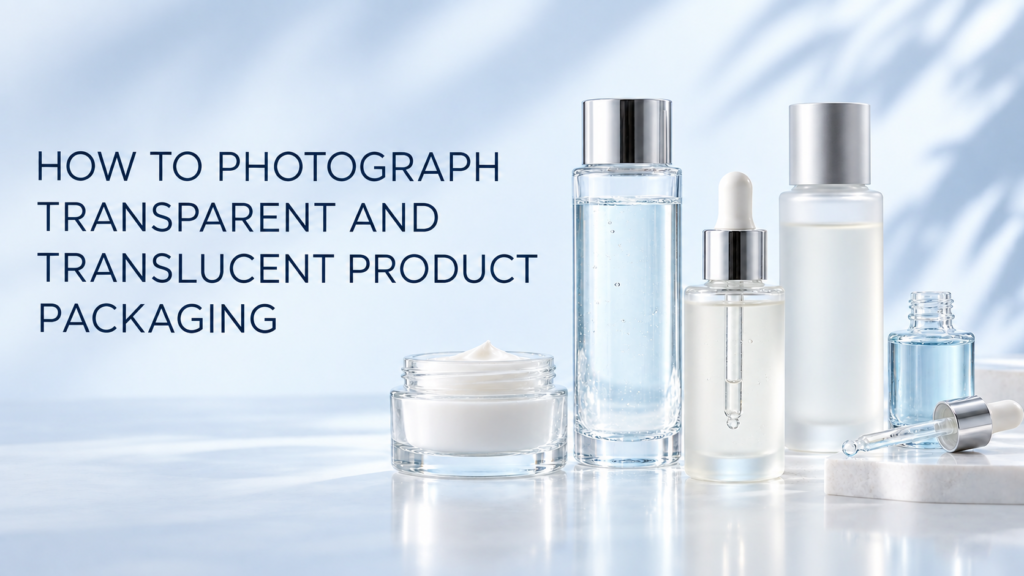
Transparent and translucent product packaging is photographed by separating the container’s edges from the background while controlling what can be seen through it. Clear glass, frosted bottles, tinted plastics, and translucent jars need carefully placed backlight, diffusion, flags, and fill so the packaging keeps its shape, color, label, and material character.
The goal is not to make every clear object perfectly invisible. Customers need to understand the container, liquid level, finish, closure, and label. A successful image makes those features easy to read without turning the package into a flat outline or an overexposed glow.
What Is the Difference Between Transparent and Translucent Packaging?
Transparent packaging allows objects and details behind it to remain visible. Translucent packaging passes light but scatters it, so the view through the material is softened. Clear serum bottles, glass fragrance bottles, and transparent pumps are common examples of transparent packaging. Frosted glass, milky plastic, and some diffusion-finished jars are translucent.
The distinction changes the lighting plan. Clear packaging often needs edge definition and careful control of everything visible through the container. Frosted packaging needs enough contrast to show its silhouette and finish without making it look solid or chalky.
Why Are Clear Products Difficult to Photograph?
Clear packaging borrows much of its appearance from the background and the studio around it. A white bottle may disappear on white; a clear bottle may show unwanted stands, seams, dust, fingerprints, or reflections. Liquids can produce refraction, bubbles, color shifts, and uneven fill lines.
Photographers usually solve four related problems:
- Defining the container’s outer edges
- Showing the material without unwanted glare
- Keeping labels and printed details legible
- Representing the product or liquid color accurately
These problems become more complex when the package includes several materials, such as a clear bottle, metallic collar, glossy dropper, white label, and translucent serum.
How Do You Light Transparent Product Packaging?
The most common approach uses backlight or side-backlight through diffusion, then adds black or white cards to control the edges. Backlighting sends light through the container and helps reveal clean transparency. Diffusion spreads the light, while dark flags create visible outlines where the glass would otherwise merge with the background.
Start with the final background
A clear product changes when the background changes. For a white e-commerce image, the photographer may light a white sweep from behind and then add darker cards outside the frame to define the bottle. For a colored campaign image, the background color may pass through the product, so the team must decide whether that effect is desirable and accurate.
Use edge cards deliberately
Black cards can create narrow dark contours along the sides of a clear bottle. White cards can brighten edges against a darker setting. Their distance and angle determine the thickness and smoothness of the line. The cards remain outside the final crop or are removed during careful retouching.
Control direct reflections separately
Transparent does not mean nonreflective. Glass and glossy plastic still reflect lights, the camera, and the room. Large diffusion panels create cleaner highlights than small direct lights. If your package combines glass with a chrome cap or pump, the methods in our guide to photographing glass bottles without distracting reflections are also relevant.
How Do You Keep a Clear Bottle Visible on White?
Edge contrast is the answer. The background can remain white while the bottle receives narrow gray or dark edge lines from cards placed just outside the frame. A subtle shadow beneath the product may help anchor it, and a controlled highlight can explain curvature.
The white background should still meet the needs of the destination channel. Marketplace images may require a clean white presentation, while a brand website may allow a gentle gradient or natural shadow. See when product photos should use a white background for a broader comparison.
How Should Liquids and Fill Levels Be Handled?
The liquid is part of the product story. Its color, viscosity, bubbles, sediment, and fill line can all affect the final image. Before the shoot, allow shipped products to settle and check whether shaking is appropriate. Inspect the package from multiple angles, because a level that looks correct from the side may appear uneven from the camera position.
For tinted oils and serums, the light passing through the liquid can become more saturated than the product appears in normal use. Exposure and background brightness should be adjusted to preserve believable color. When texture is the main selling point, a separate swatch or application image may communicate it better than the bottle alone.
How Do You Photograph Frosted or Milky Packaging?
Frosted packaging needs both transmission and surface definition. Strong backlight can reveal translucency, but too much may wash out the frosted finish. Side light can create a soft gradient that shows shape. Dark cards can help define pale edges, while a gentle foreground fill keeps the label readable.
Because frost scatters light, small scratches and fingerprints may appear differently than they do on clear glass. Clean the sample carefully and compare the image with the real package before final retouching.
What About Labels Printed on Clear Containers?
Clear labels and direct printing create layered visibility problems. Text may compete with the back of the container or with packaging information on the opposite side. A removable dark card placed behind the front label can improve legibility during one exposure. The card can then be removed for a separate transparency exposure, and the useful parts can be combined.
For e-commerce, the front label should normally be prioritized over artistic transparency. Additional side, back, and detail views can show the rest of the packaging. A product detail shot is useful when small print, dosage marks, applicators, or material finishes affect the buying decision.
Should Clear Products Be Photographed Empty or Filled?
Use the product in the condition customers will receive it unless the image has a clearly different purpose. An empty package prototype can help test reflections and composition, but it may not accurately represent liquid color, fill level, weight, or refraction. If both empty and filled samples are available, identify which one is the approved reference.
For launch photography, send multiple clean samples when possible. Transparent packaging exposes defects and may require one sample for the main exterior view and another for texture, dispensing, or opened-product images.
Which Images Does an E-Commerce Page Need?
The exact shot list depends on the product, but transparent packaging often benefits from:
- A straight front view with a readable label
- A side or three-quarter view that shows depth
- A back view for directions or ingredient information
- A detail of the cap, pump, dropper, or applicator
- An image that reveals liquid color or product texture
- A scale or in-use image when dimensions are unclear
- A styled hero image for collection pages and campaigns
E-commerce product photography prioritizes accuracy and consistency across a product line. Studio product photography can add color, surface, and styling while still preserving the transparent material.
What Should Retouching Change?
Retouching can remove temporary dust, fingerprints, support tools, and minor distractions. It can combine a well-lit label with a separate exposure for clean glass. It should not change the package shape, hide a normal material feature, alter the liquid color, or create impossible transparency.
Keep an unretouched reference frame and compare the finished image with an approved physical sample. That check is especially important for tinted bottles, natural formulations, and packaging where color communicates the product variant.
Frequently Asked Questions
Do you need a polarizing filter for clear packaging?
A polarizer can reduce some reflections, but it does not replace diffusion, flags, and angle control. It may also change how certain plastics or labels appear.
What background works best for transparent bottles?
White is practical for many listings, while mid-tone or colored backgrounds can make clear edges easier to see. The best choice depends on the sales channel and the product’s color.
How do you show a colorless liquid?
Use edge definition, controlled highlights, small bubbles only if naturally present, and a background that gives the container contrast without falsely coloring the liquid.
Can transparent packaging be photographed remotely?
Yes. Brands can ship products to the studio and approve a shot list, color references, label priorities, backgrounds, and crop requirements before production.
Plan the Lighting Around the Material
Transparent and translucent packaging needs a lighting plan based on the container, closure, label, liquid, and destination. If your skincare, beauty, cosmetics, wellness, or lifestyle product includes clear, frosted, or tinted packaging, contact Picture Your Products to plan accurate product images for your website or campaign.