
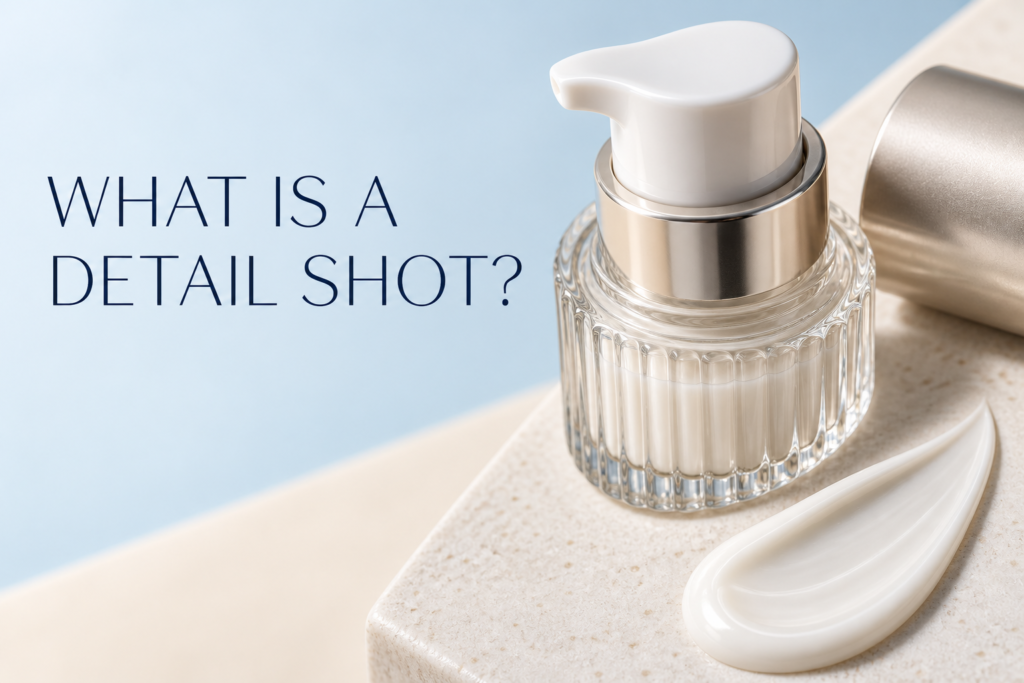
A product detail shot is a close photograph that shows a feature shoppers need to inspect before buying. It may reveal a pump, applicator, closure, label, ingredient panel, surface finish, fabric weave, texture, or construction detail. An e-commerce page needs detail shots when the main product view cannot clearly answer a practical question about use, quality, scale, material, or packaging.
Detail images are not simply dramatic close-ups. Each one should have a defined job. The best detail shot removes uncertainty, supports comparison, or shows something that would matter if the customer were holding the item in person.
What Is a Detail Shot in Product Photography?
A detail shot isolates a small but meaningful part of a product and photographs it at a scale that makes the information easy to understand. The camera may move closer, use a longer focal length, or use macro equipment for very small features. Lighting and focus are chosen to describe shape, material, edge quality, printing, texture, or function.
A full product image establishes the overall form. A detail photograph answers a narrower question: What does the applicator look like? Is the cap matte or reflective? How fine is the mist? What information is printed on the back? How thick does the cream appear?
When Does an E-Commerce Page Need a Detail Shot?
An e-commerce page needs a detail shot when a feature affects a customer’s understanding or purchase decision but is difficult to read in the primary image. Products with mechanisms, textures, specialty materials, small labels, or distinctive finishes usually benefit most.
Consider adding a detail image when shoppers need to evaluate:
- A pump, dropper, spray nozzle, clasp, zipper, hinge, or other functional part
- A formula texture, color, sheen, opacity, or finish
- A material such as glass, metal, paper, fabric, wood, or molded plastic
- Small typography, directions, shade names, or packaging information
- Craftsmanship, stitching, embossing, engraving, or edge construction
- The relationship between a product and its cap, applicator, refill, or accessory
If the feature can already be read clearly in a standard image, a separate close-up may be redundant. Product galleries should answer questions efficiently, not repeat the same view at slightly different crops.
What Is the Difference Between a Detail Shot and a Close Crop?
A close crop enlarges part of an existing composition. A true detail shot is planned and lit for the feature itself. Simply cropping a wide photograph may reduce resolution, exaggerate dust, or leave the important surface outside the plane of focus.
When the detail is photographed separately, the studio can adjust product position, light direction, focus, and depth of field. This is especially important for reflective caps, transparent packaging, tiny lettering, and cosmetic textures. The resulting image should look intentional at the final website size.
Which Product Details Are Worth Photographing?
Functional details
Functional images show how the item opens, dispenses, connects, folds, fastens, or fits together. A skincare brand may show a pump head and the amount dispensed. A cosmetics product may show a wand, brush shape, or pencil tip. These photographs help set expectations without relying on a long paragraph.
Material and finish details
Material photographs help a shopper distinguish matte from gloss, soft-touch coating from smooth plastic, frosted glass from clear glass, or foil stamping from ordinary ink. Light must be placed so the surface remains visible without distorting the product’s real color.
Information details
Back labels, shade names, measurement marks, and instructions can be useful when the text is central to selection or use. The image should not replace accessible written product information, but it can show the physical package customers will receive.
Formula and texture details
Beauty and skincare shoppers often want to see cream density, serum viscosity, pigment, shimmer, or gloss. Texture photography requires careful preparation because small variations, bubbles, dried edges, or uneven swipes become highly visible at close range.
What Detail Shots Do Beauty and Skincare Products Need?
The right choices depend on the package and formula. A serum may need a dropper view, a controlled droplet, and a texture image. A jar may benefit from the opened container, inner seal, and cream surface. A lipstick may need the bullet shape, shade, and finish. A compact may need the open palette, mirror, pan layout, and applicator.
Useful beauty detail shots can include:
- Dropper, pipette, pump, nozzle, or wand
- Open jar, cap interior, seal, or refill mechanism
- Front label and a readable shade or variant identifier
- Formula swipe, droplet, dollop, powder, or foam
- Embossed logo, metallic trim, or specialty package finish
- Packaging components arranged to explain how the product is used
A detail image should not imply an ingredient, performance result, or use that the brand has not verified. The photograph can describe visible properties while the product copy provides approved claims.
How Are Small Product Details Photographed Clearly?
Clarity begins with preparation. Packaging should be clean, labels aligned, mechanisms working, and formula samples fresh. Very small dust, scratches, fingerprints, and label edges become prominent in close photography.
The photographer then controls four elements:
- Camera position: The angle must reveal the feature without making its proportions look unfamiliar.
- Focus: The important surface should be sharp. For angled objects, multiple focused frames may be combined when appropriate.
- Lighting: Highlights and shadows should define form, texture, and material. Reflective details require shaped reflections rather than uncontrolled glare.
- Scale and crop: The feature must remain understandable on mobile without becoming so abstract that shoppers lose context.
For motion-dependent details, a short clip may explain more than a still image. A pump action, magnetic closure, rotating package, or changing texture can be considered in a product videography plan.
Do Detail Shots Need a White Background?
No. A white or neutral background works well when consistency and accurate comparison are the priorities. A brand-colored surface or subtle contextual setup can work when it keeps the detail readable and matches the rest of the gallery.
The background should create enough separation from the product. Transparent edges can disappear on white; black packaging may lose shape against a dark surface. Choose contrast and lighting that preserve the visible feature.
Where Should Detail Shots Appear in a Product Gallery?
Place detail images after shoppers have seen the complete product. A common sequence is a clean primary image, alternate angle, scale or context image, functional detail, formula or material detail, packaging information, and lifestyle or campaign imagery. The exact order should follow the questions most likely to affect the purchase.
Do not lead with a close-up so tight that the product is unrecognizable. The opening images should establish identity. Detail shots then deepen understanding. Use the framework in how many images a product page should have to decide how many views are useful rather than filling a fixed quota.
How Should Detail Images Be Designed for Mobile?
Mobile galleries give each image limited space. Keep the subject large, remove distracting props, and test whether the feature remains legible on a phone. Fine text may still be unreadable when the image is reduced, so pair it with written specifications in the page content.
Square crops are often practical for product grids, but the capture should leave enough surrounding space for alternate ratios. If the detail sits too close to an edge, responsive cropping may remove it.
How Do You Brief a Detail-Shot List?
Identify the feature and explain why it matters. A useful line in a product photography shot list includes the SKU, required component, angle, state, crop, background, label orientation, and intended channel.
For example: “Open 30 ml serum bottle with dropper above neck; show glass pipette and one suspended droplet; square product-page crop plus vertical social crop; label facing camera.” This is more actionable than “macro shot of bottle.”
Common Product Detail-Shot Mistakes
- Creating close-ups that do not answer a customer question
- Cropping a wide image until resolution and focus break down
- Showing dust, fingerprints, damaged labels, or dried formula edges
- Using shallow focus that hides the feature being explained
- Letting glare cover printing or change the perceived finish
- Removing so much context that the detail becomes unrecognizable
- Repeating the same information across several gallery images
Frequently Asked Questions
Is macro photography the same as a product detail shot?
Not always. Macro describes close reproduction of a small subject or feature. A detail shot describes the image’s informational purpose and may not require true macro magnification.
How many detail shots should a product page have?
Use one image for each meaningful feature that is not clear elsewhere. A simple package may need none or one; a product with several mechanisms or finishes may need more.
Should every label be photographed close up?
No. Photograph labels that help identify a variant, explain physical packaging, or answer a selection question. Also provide important information as accessible page text.
Can retouching improve a detail shot?
Retouching can remove temporary dust and refine controlled reflections, but it should not change construction, texture, color, or package features customers will receive.
If your product gallery needs clearer functional, material, or formula details, contact Picture Your Products to plan professional product photography or videography around the questions your customers need answered.