
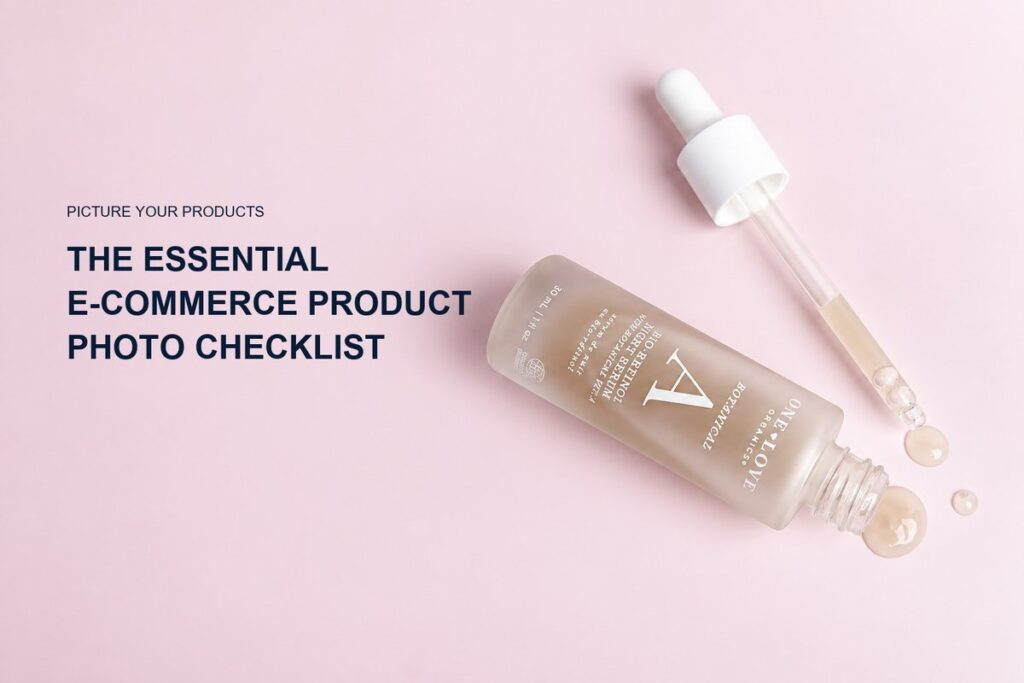
Every e-commerce store needs product photos that identify the item, explain its shape and features, show scale, document what is included, and help the shopper imagine using it. The exact gallery changes by category, but an effective e-commerce product photo checklist usually includes a clean primary image, alternate angles, detail views, packaging, scale, variation-specific images, and selected contextual or lifestyle content.
The goal is not to fill a gallery with attractive pictures. It is to replace the inspection a customer would perform in person. Use this checklist to plan a new catalog, audit existing listings, or brief a professional shoot.
1. A clear primary or hero product image
The primary image should make the exact product immediately recognizable. Show the complete item at a useful size with accurate color, controlled reflections, and minimal visual competition. The product should still read clearly when the image appears as a small collection-page thumbnail.
For your own store, the background may follow the brand’s visual system. Marketplaces often impose stricter primary-image rules, so verify each channel’s current specifications. A reliable e-commerce photography service can produce a consistent catalog set and separate creative assets without confusing their roles.
2. Front, back, side, and three-quarter views
Include the angles that reveal new information. A front view shows identity and label. A three-quarter view communicates depth. The back may contain directions or construction details, and the side may reveal thickness, closures, controls, or profile.
You do not need every possible rotation. Choose the smallest useful set that allows a shopper to understand the form. For a bottle, front and three-quarter views may be sufficient unless the back label matters. For a kit, additional angles may be necessary to show every component.
3. Important detail photographs
A detail shot isolates a feature that could be missed in the full product view. Photograph materials, texture, stitching, dispensing mechanisms, fasteners, hardware, seals, bristles, applicators, or surface finishes when they affect the buying decision.
Details should be deliberate photographs rather than arbitrary digital crops. Appropriate lighting and focus reveal the surface more accurately and maintain image quality when the customer zooms.
4. Scale and size reference
Dimensions in product copy are necessary, but an image often communicates scale faster. Show the item in a hand, next to a familiar object, or in its expected environment. Keep the reference honest and avoid forced perspective that makes the product seem larger or smaller.
For skincare and cosmetics, an in-hand image can clarify whether a package is a travel size, standard bottle, or larger treatment product. For home and lifestyle goods, placement on a shelf, vanity, desk, or table can make proportions easier to understand.
5. Packaging and everything included
Show exactly what the customer receives. If the product arrives with a carton, insert, applicator, cable, refill, pouch, or accessory, create a clear group photograph. Avoid displaying decorative props in a way that makes them appear included.
Packaging images are particularly useful for giftable beauty products, premium boxes, sets, and retail-ready goods. When labels or instructions matter, add a legible view while keeping detailed written information available as page text for accessibility and search.
6. Color, shade, scent, and size variations
Photograph every variation whose appearance could influence the choice. Cosmetics need accurate shade representation; packaging with different labels should not be represented by one generic image if that could mislead. Use the same camera angle, lighting, crop, and retouching approach across variants so shoppers can compare them fairly.
A group image can show the range, but it should not replace the individual image that updates when a shopper selects a variation.
7. Texture, formula, or finish
Texture photography is valuable when the physical character of the product matters. Creams, serums, oils, gels, powders, glosses, and balms each reflect and hold shape differently. A controlled macro image can communicate viscosity, opacity, shimmer, color, or spread.
Use texture images to clarify the formula, not to imply a result that has not been established. A smear or droplet should look intentional, clean, and consistent with the real product. For moving formulas, short product video can show flow and application more clearly.
8. Product in use
An in-use photograph explains interaction. It may show a pump being pressed, a cap opening, a cosmetic applicator in hand, a wellness item arranged for a routine, or a household product in its environment. The image should focus on a real function or context rather than presenting action only for decoration.
If hands or a model appear, plan skin tone, grooming, wardrobe, casting, and usage rights before production. Confirm that the depicted use matches the product instructions.
9. Lifestyle or styled brand imagery
Lifestyle and styled photographs connect the item to a mood, audience, or environment. Props, surfaces, color, and lighting can reinforce positioning while the product remains the visual priority. One well-planned scene may support a product page, email, social post, and campaign crop.
The strongest galleries balance clarity with character. Clean images establish trust and consistency; creative studio product photography provides visual distinction. Avoid using so many props that the shopper cannot quickly identify what is being sold.
10. Group, bundle, and collection images
When products are sold as a set, photograph the exact bundle. For a wider collection, a group hero can communicate range and create useful launch content. Arrange labels and shapes so that the products remain identifiable rather than hiding smaller components behind larger ones.
Create a separate image for each purchasable bundle. Do not rely on a full collection photograph if the customer receives only part of what is shown.
11. Channel-specific crops and safe space
List the required orientations before the shoot: square store tile, portrait social post, vertical story, horizontal banner, retailer listing, and paid-ad format. A photograph composed for one ratio may crop poorly in another. Negative space should be intentional when designers need room for headlines, price, or buttons.
Keep an uncropped master when appropriate, then export optimized channel files. Confirm color profile, file type, pixel dimensions, compression, and naming conventions with the web or marketplace team.
12. Consistency across the catalog
Consistency makes products easier to compare. Define camera angle, product scale within the frame, background color, shadow style, alignment, and cropping rules for the catalog. A tall bottle and a short jar should feel related without being forced to occupy identical physical dimensions.
Create a visual reference from an approved product and use it for future additions. Record lighting and retouching notes when a catalog will be expanded over time.
Pre-shoot e-commerce checklist
- Confirm SKU and variation list
- Inspect packaging and prepare backup units
- List included components and accessories
- Identify important features and customer questions
- Approve backgrounds, props, and styling direction
- Confirm marketplace and retailer requirements
- List aspect ratios, pixel sizes, and file formats
- Separate essential shots from optional campaign concepts
- Define file names and delivery folders
- Secure approvals before products ship
How do you audit an existing product gallery?
Review each listing from the shopper’s point of view. Remove near-duplicates and note unanswered questions. Check whether the first image works as a thumbnail, whether scale is obvious, whether every variation is accurate, and whether the mobile gallery is easy to swipe and zoom.
Then compare the gallery with support questions and returns. Repeated confusion about size, color, finish, or included parts often points to a missing photograph or unclear order.
Frequently asked questions
Does every product need a lifestyle image?
Not always, but context can be useful when environment, scale, routine, or brand positioning helps the customer understand the item.
Should text be added to product images?
Use text graphics only where the sales channel allows them, and keep essential information in the page copy as well. The primary marketplace image may prohibit overlays.
Can video replace detail photos?
Video can demonstrate movement and use, but shoppers still benefit from fast, zoomable photographs of important features.
How often should product photos be updated?
Update them when packaging, formulation appearance, included items, dimensions, or brand presentation changes enough that current images could mislead or feel inconsistent.
For help turning this checklist into a practical production plan, contact Picture Your Products about e-commerce photography, styled product imagery, video, or stop-motion content.